Customers May Ask for Term Review
Posted February 5, 2026
Have you ever been looking at terms and saw something that made you scratch your head? For example, you saw a typo, a funky character, or something that didn’t make sense and looked like an error to you. Now you can be proactive and let our content team know what you saw.
It’s fast and easy. Your input can help make MedAbbrev even better. Here’s an example of how this new feature works.
- When viewing the search results you see something like this:

- There’s a little inconsistency between the two terms shown above. One has the dash and the other does not. One should be fixed to match up the other entry.
- Click on the three dots at the end of the term [see red box on the right in the image below].

- Click on “Request Review” and the following window pops up:
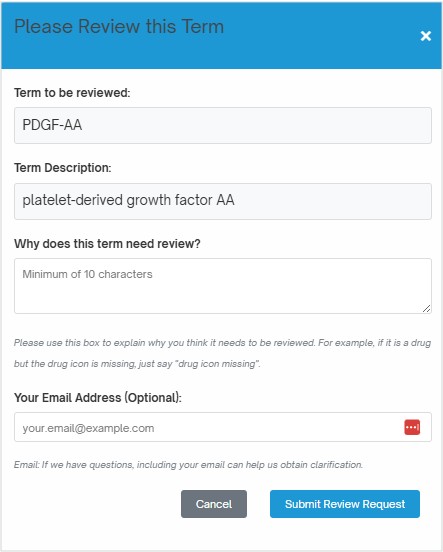
- In the “Why does this term need review?” box, type in the reason why you’d like someone to review it. For example, type in something like “The one with BB has a dash, why doesn’t this one?” Just try to be clear as to what you want the team to pay attention to.
- Click [Submit Review Request] and the window closes out and you are back to work.
That’s all you have to do. It’s super fast and easy to do. Note that if you include your email we can contact you if we have any questions. Happy searching!
